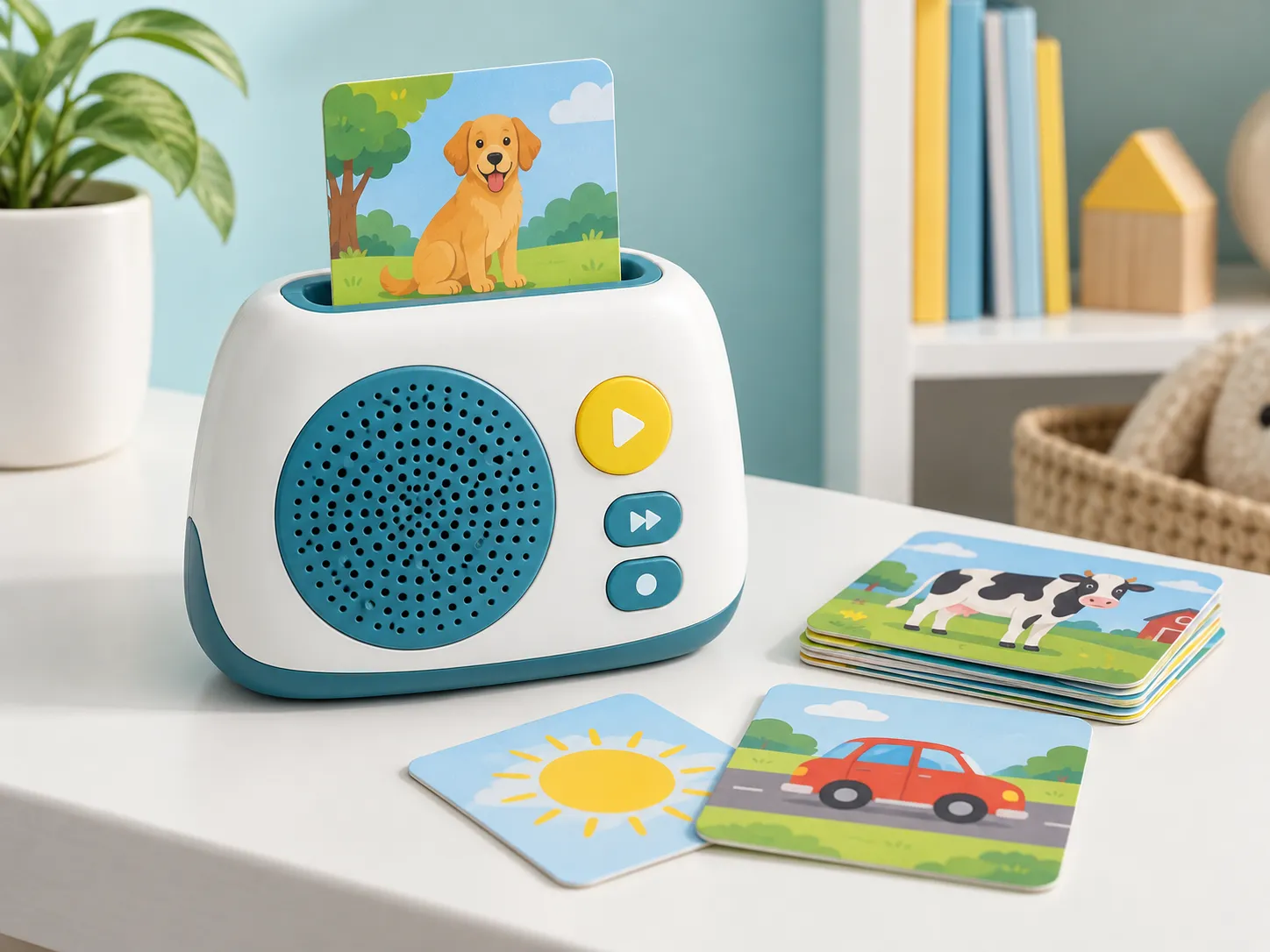
Content Update Methods for Insert-Card Audio Players: Choose a card audio player update method by deciding who performs the update, whether internet or a computer is acceptable, how cards identify content, where audio is stored, how files are authenticated and versioned, how failed updates recover, and how old cards remain compatible. Options include factory-preloaded libraries, card-bound storage, USB or memory-card transfer, app-assisted loading, and wireless delivery; each changes hardware, firmware, support, privacy, and QA.
Expansion content sounds simple until a new card reaches a player that does not contain its audio, a user removes power during transfer, the wrong language package is loaded, or an old player lacks storage. The update system is a product and operations architecture, not only a connector or menu.
This guide is written for story-content brands, language-learning companies, publishers, retailers, subscription programs, and toy distributors. It addresses the questions that normally appear between the first concept discussion and a production-ready quotation: product application, customer requirements, content ownership, sample purpose, factory testing, shipment inspection, packaging, and market-specific documentation. It does not present universal specifications because insert-card audio player should be engineered around the final user, configuration, claims, sales market, and distribution plan.
For an overview of the available configuration and customization direction, review Cakub’s insert-card audio players product page. Buyers who are still comparing formats can also start with the interactive learning product range.
1. What should buyers understand first?
A content-update system covers content identity, storage location, transfer channel, packaging or card release, authentication, file format, memory allocation, firmware compatibility, user steps, progress indication, error recovery, version records, support, and production programming.
Practical buyer answer: Write three journeys: first-time setup, adding a new pack, and recovering from interruption or wrong content. Prototype those journeys with a nontechnical adult and the intended player, then build release and compatibility records before the first expansion pack.
The most reliable starting point is a one-page use-case description. State who uses the product, what physical action starts the interaction, what the product should do, what happens next, and how success is observed. This prevents a supplier from substituting a familiar standard product for a requirement that actually needs different electronics, files, construction, firmware, or packaging.
2. Where does this solution fit—and where does it not?
The simplest update method that supports the commercial content plan is usually preferable, provided it preserves offline use, control, and compatibility requirements.
| Decision question | Good fit when | Reconsider when |
|---|---|---|
| Must children use the product independently? | Adult-only update steps are separated from simple child card insertion and playback. | Children must manage files, cables, accounts, or ambiguous error states. |
| Will content release after shipment? | Memory, identifiers, versioning, compatibility, support, and recovery are planned. | The first hardware build assumes a fixed library despite a subscription roadmap. |
| Is offline use central? | The update channel and daily playback are clearly separated, with offline behavior defined. | Core playback silently depends on continuous internet access. |
3. Which specification decisions change the project?
Compare update approaches across the full product lifecycle and content operation.
1. Content storage location
Compare internal flash, removable memory, storage on cards, phone or computer transfer, and network delivery. This decision should be closed before detailed quotation because it affects several downstream assumptions. For insert-card audio player, the useful question is not whether a feature is available in theory, but how it will be implemented, approved, repeated in production, and checked before shipment.
2. Card-to-track resolution
Define how an inserted card provides an ID, how the player finds a language and revision, and what happens when content is missing. A supplier can only validate this point when the intended user action and acceptable response are observable. For insert-card audio player, the useful question is not whether a feature is available in theory, but how it will be implemented, approved, repeated in production, and checked before shipment.
3. User update journey
Specify equipment, account, cable, app, instructions, progress, duration, confirmation, capacity warning, and support path. Treat this as a controlled product requirement rather than an informal preference in an email thread. For insert-card audio player, the useful question is not whether a feature is available in theory, but how it will be implemented, approved, repeated in production, and checked before shipment.
4. Integrity and recovery
Plan file validation, authentication where required, interrupted transfer, rollback, corrupted package, reset, and service mode. The approved sample should demonstrate this requirement with representative content and production-style materials. For insert-card audio player, the useful question is not whether a feature is available in theory, but how it will be implemented, approved, repeated in production, and checked before shipment.
5. Compatibility policy
Define player hardware, firmware, library, language, region, card pack, minimum version, reserved IDs, and end-of-support rules. Document the decision in the specification, sample comments, and final inspection checklist so each team uses the same reference. For insert-card audio player, the useful question is not whether a feature is available in theory, but how it will be implemented, approved, repeated in production, and checked before shipment.
6. Release operations
Control master files, encoded packages, manifests, checksums, approvals, hosting or media, production programming, customer release, and audit trail. If the requirement is still open, ask the supplier to quote the alternatives separately instead of hiding the difference in one price. For insert-card audio player, the useful question is not whether a feature is available in theory, but how it will be implemented, approved, repeated in production, and checked before shipment.
| Decision area | What to define | Approval evidence |
|---|---|---|
| Content storage location | Compare internal flash, removable memory, storage on cards, phone or computer transfer, and network delivery. | Specification, approved sample, or controlled record |
| Card-to-track resolution | Define how an inserted card provides an ID, how the player finds a language and revision, and what happens when content is missing. | Specification, approved sample, or controlled record |
| User update journey | Specify equipment, account, cable, app, instructions, progress, duration, confirmation, capacity warning, and support path. | Specification, approved sample, or controlled record |
| Integrity and recovery | Plan file validation, authentication where required, interrupted transfer, rollback, corrupted package, reset, and service mode. | Specification, approved sample, or controlled record |
| Compatibility policy | Define player hardware, firmware, library, language, region, card pack, minimum version, reserved IDs, and end-of-support rules. | Specification, approved sample, or controlled record |
| Release operations | Control master files, encoded packages, manifests, checksums, approvals, hosting or media, production programming, customer release, and audit trail. | Specification, approved sample, or controlled record |
Design a scalable card-content lifecycle
Share the starter library, expansion cadence, languages, offline requirements, user update constraints, and installed-player plan.
4. What should the buyer prepare before requesting a quotation?
A useful quotation pack reduces assumptions without pretending every decision is final. It should distinguish confirmed requirements, preferred options, open questions, buyer-supplied files, supplier responsibilities, and items that will be approved through sampling. For insert-card audio player, prepare the following:
- Content roadmap: List starter and future packs, cards, languages, track duration, release timing, installed-player volume, and compatibility promises.
- Update journey specification: Describe actor, device, connection, software, package selection, progress, confirmation, errors, retry, support, and offline playback.
- Release manifest: Track package ID, player compatibility, firmware minimum, card IDs, audio filenames, language, encoding, size, checksum, revision, approval, and release date.
- Library structure: List starter and expansion packs, card count, category, sequence, language, track duration, and future-release plan.
- Playback behavior: Define insertion response, navigation, pause, resume, repeat, volume, sleep, memory, and interruption rules.
- Market and launch plan: Provide user age, countries, forecast quantity, retail channel, packaging, launch date, and replenishment model.
Do not send a large folder without an index. Add a requirement sheet that lists every file, its revision, language, owner, intended use, and approval status. If the project contains many tracks, cards, pages, triggers, or modes, include a mapping table that connects the physical action to the expected response. This table becomes valuable during firmware review, factory testing, and shipment inspection.
5. How should development move from concept to shipment?
Validate update architecture before freezing memory, connectors, firmware, card identity, or the expansion commercial model.
- Confirm the requirement brief: Define starter and expansion content, users, connectivity, privacy, offline behavior, storage, compatibility, support, and release cadence. Record open questions, the responsible party, and the required approval evidence before moving forward.
- Create the controlled map: Map card IDs through content manifest, package, storage, firmware resolution, language, playback, error state, and compatibility rule. Use controlled filenames and revision dates so artwork, audio, firmware, components, and packaging cannot drift apart.
- Review feasibility and risk: Review capacity, transfer interruption, wrong package, duplicate ID, authentication, obsolete firmware, power loss, support burden, and long-term hosting. Review the result against the intended user journey, not only against an isolated component demonstration.
- Build a purpose-defined prototype: Prototype new-pack installation, missing content, full memory, interrupted update, retry, rollback or recovery, and old-card playback. Keep one approved reference and convert every comment into a measurable acceptance point.
- Approve a production-intent sample: Combine final-style player hardware, connector or wireless path, memory, firmware, cards, content packages, manifests, user instructions, and recovery tools and close measurable comments before material release. Confirm that buyer-supplied files and factory-prepared files use the same version before releasing materials.
- Release controlled production files: Freeze the bill of materials, content roadmap, ID registry, release manifest, compatibility matrix, package checksums, update instructions, QA report, and support record, packaging artwork, test method, and approval references. Do not compress the schedule by removing a validation gate; resolve the cause of delay and re-plan the critical path.
- Inspect and release the shipment: Sample across the order, reproduce representative user journeys, verify pack-out, and document disposition before dispatch. Before shipment, reproduce representative user actions and compare the packed product with the signed approval set.
The workflow should have visible gates. A concept sample proves feasibility; an engineering sample closes construction and function; a production-intent sample confirms controlled files, materials, firmware, audio, artwork, accessories, and packaging. Combining those purposes into one vague “sample” makes approval comments hard to interpret and makes schedule promises unreliable.

6. What should factory testing and shipment inspection cover?
Update testing must cover failure and compatibility paths as thoroughly as the successful transfer.
| Control point | Practical check | Evidence |
|---|---|---|
| Package integrity | Verify identity, language, version, file count, size, checksum or validation, encoding, mapping, and approved master reference. | Record result, defect category, and sample identity |
| Interrupted update | Remove connection or power at controlled points and confirm the player protects existing content, reports status, and recovers as designed. | Record result, defect category, and sample identity |
| Compatibility matrix | Test representative old and new players, firmware versions, languages, starter cards, expansion cards, and unsupported combinations. | Record result, defect category, and sample identity |
| Capacity and lifecycle | Fill storage near limits, remove or replace content as permitted, reset, restore, and confirm persistent settings and mappings. | Record result, defect category, and sample identity |
| Card recognition | Test all card identities, orientations, insertion depths, repeated use, and samples from different production positions. | Record result, defect category, and sample identity |
| Audio mapping | Compare card artwork, ID data, filename, language, sequence, and playback behavior with the approved map. | Record result, defect category, and sample identity |
| Player controls | Verify insertion feel, buttons, speaker clarity, volume, charging or batteries, memory, and low-power response. | Record result, defect category, and sample identity |
| Set completeness | Count cards and accessories, confirm pack labels, storage solution, barcode, instructions, and carton quantities. | Record result, defect category, and sample identity |
Testing frequency should be based on risk, process capability, component history, and the consequence of a failure. Some functions may justify a 100% production check, while appearance or packaging characteristics may be evaluated through a defined sampling plan. The ISO 28590 overview explains the role of acceptance sampling by attributes, but the buyer and inspection provider still need a written defect list, sampling basis, and accept/reject rules for the actual order.
Shipment inspection should use the approved product, controlled files, packing specification, label artwork, and purchase order as references. Inspectors should test content from different parts of the library rather than replaying one demonstration item. Allow time before the shipping deadline for containment, root-cause review, corrective action, and reinspection when needed.
See Cakub’s quality-control workflow for the broader sequence from incoming materials through shipment release, or review the factory capability page when evaluating production support.
7. How should safety and compliance planning be handled?
Compliance depends on intended use, age grading, materials, electronics, power source, wireless functions, sound output, accessories, packaging, claims, and destination market. Start planning before the final design because required tests, warnings, traceability marks, battery construction, or technical documentation can affect the product itself.
- U.S. CPSC toy safety guidance — use the current official text as a starting point for the final model and market.
- European Commission toy-safety information — use the current official text as a starting point for the final model and market.
- IEC 62115 electric-toy standard overview — use the current official text as a starting point for the final model and market.
Relevant official starting points for this topic include U.S. CPSC toy safety guidance, European Commission toy-safety information, IEC 62115 electric-toy standard overview. These links do not determine the complete test plan. Ask an accredited laboratory or qualified compliance adviser to review the final configuration and the markets where the product will be placed. Keep reports, declarations, bills of materials, label approvals, and production identities connected to the exact model and revision.
8. How can buyers compare supplier quotations fairly?
Compare memory, connector or radio hardware, firmware, app or desktop software, backend or hosting if used, content tools, security, testing, documentation, maintenance, and per-release operations separately.
Normalize quotations into the same structure: product configuration, included content volume, electronic functions, materials, accessories, retail packaging, master-carton basis, development charges, sample rounds, tooling, testing, documentation, quantity, currency, Incoterm, payment assumptions, and validity period. Highlight every exclusion. Two unit prices are not comparable when one includes programmed content, printed media, accessories, or inspection support and the other does not.
9. Common mistakes that create avoidable delay or rework
Choosing a connector before the workflow
USB hardware does not define file selection, compatibility, progress, validation, recovery, or support. The practical correction is to add an owner, reference file, approval point, and inspection method before the order enters mass production.
No installed-base policy
New cards may reach players without compatible firmware, storage, language, or content packages. The practical correction is to add an owner, reference file, approval point, and inspection method before the order enters mass production.
Using folders as release control
Unverified files and unclear versions can be programmed, uploaded, or distributed. The practical correction is to add an owner, reference file, approval point, and inspection method before the order enters mass production.
Testing only successful updates
Power loss, cable removal, full storage, corrupt packages, wrong language, and unsupported players create the most difficult support cases. The practical correction is to add an owner, reference file, approval point, and inspection method before the order enters mass production.
10. Frequently asked questions
Can card players work fully offline?
Yes, depending on architecture. Content can be preloaded or transferred in advance while daily card identification and playback remain offline.
Should audio be stored on each card?
It is one option, but it changes card cost, interfaces, durability, update control, and manufacturing. Compare it with ID-only cards and player storage.
How much memory is needed?
Calculate encoded library size, languages, future packs, firmware, metadata, working space, recovery reserve, and sourcing margin—not only current masters.
Can users add their own audio?
Possibly, but define supported formats, naming, card mapping, moderation or safety considerations, storage, error handling, and support scope.
How should expansion packs be QA tested?
Verify card IDs, artwork, manifest, language, files, compatibility, playback behavior, packaging, barcode, count, and representative installed players.
Conclusion: approve a repeatable product system
Select an update method from the content business model and user journey. Controlled manifests, compatibility policy, recovery, and release QA keep expansion valuable after the original shipment.
A successful insert-card audio player project is not defined by a single attractive sample. It is defined by whether the approved user experience can be reproduced with controlled files, stable materials, clear workmanship criteria, suitable factory testing, traceable packaging, and a shipment-inspection method that reflects customer requirements. That is the standard buyers should use when comparing suppliers and deciding whether a project is ready for production.
Planning a custom insert-card audio player project?
Send your target user, product format, content scope, market, quantity range, packaging, and launch timing for a structured project review.