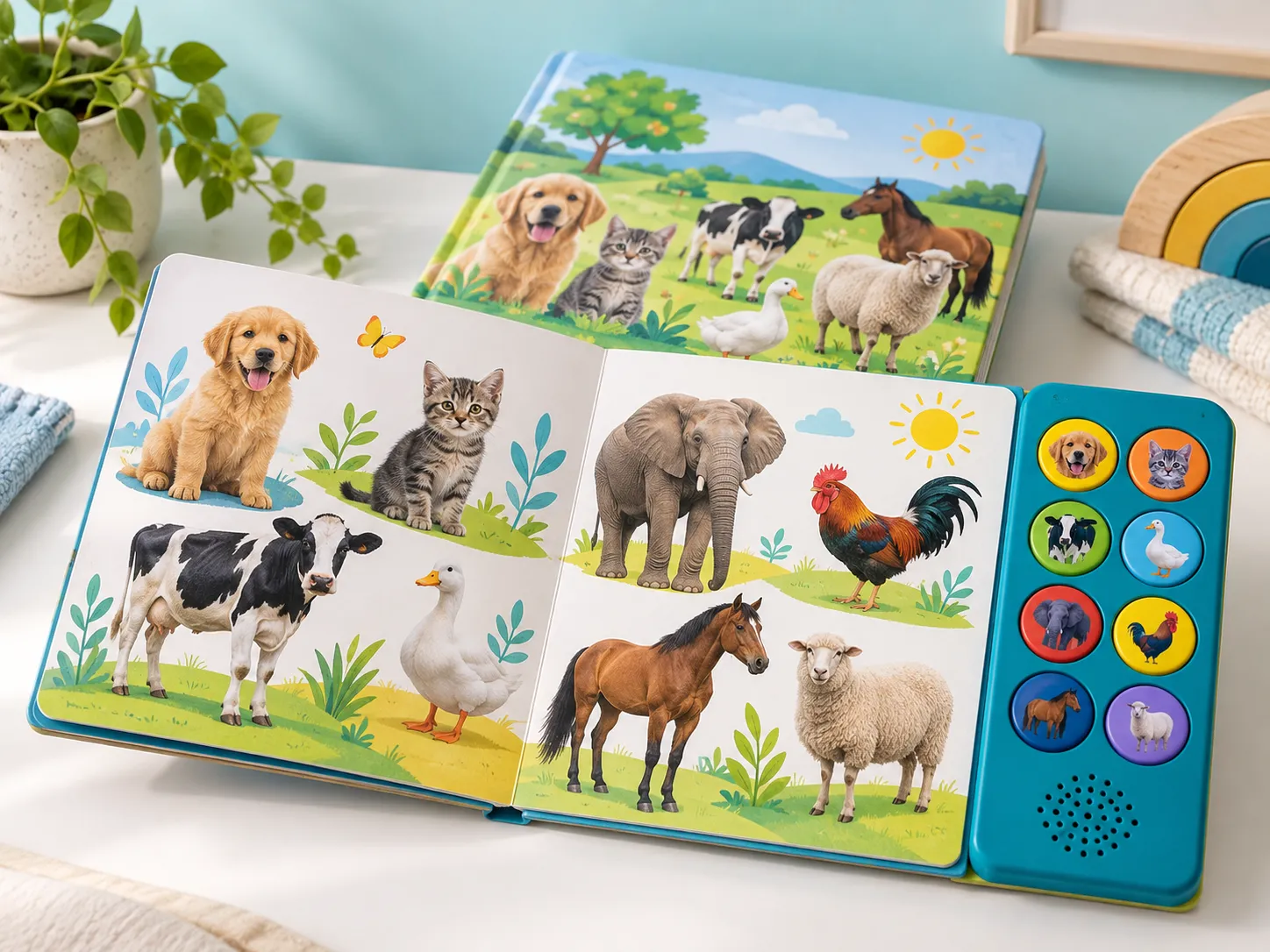
Sound Book Button Activation Force and Child Usability: Evaluate activation in the fully bound book with representative children and production-style materials; control switch support, printed target, tactile response, and variation rather than relying on the bare switch rating. For a B2B order, the decision should be supported by a button-location and force reference linked to finished book construction and usability observations, a production-intent sample, a named approval owner, and a check that can be repeated before shipment. The approach changes with the final product, customer requirements, destination market, and operating model.
Board thickness, overlay, adhesive, switch dome, and how the book rests on a lap all influence the force reaching the contact. Children may press with a palm rather than a fingertip. The hidden cost is rarely the isolated component: it is disagreement between the child-facing experience, content files, manufacturing revision, retail promise, and after-sale support. A useful buyer guide therefore follows one real user journey from setup through repeated use, failure recovery, replenishment, and the next production order.
This guide is for children’s publishers, museum shops, educational brands, gift companies, retailers, and print sourcing teams. It connects product application, customer requirements, controlled content, factory testing, shipment inspection, packaging, and market documentation without treating one configuration as universal.
For an overview of the available configuration and customization direction, review Cakub’s sound books product page. Buyers who are still comparing formats can also start with the interactive learning product range.
1. What should buyers understand first?
sound-book button-force design is the coordinated choice of interaction, content, physical construction, and support rules that lets young children pressing illustrated sound areas complete the intended activity. Here “sound-book button-force design” refers to the complete operational system around the saleable product, not a feature name in a catalogue. Its boundary includes the physical product, content or media, instructions, controlled files, packaging, service expectations, and the evidence a buyer will accept.
Practical buyer answer: Prototype the complete stack and choose an activation range that feels intentional while remaining accessible to the intended age group. Put the answer in a one-page decision record: who uses it, what they must do, which variation is allowed, how the supplier proves it, and what happens when the button requires excessive force, triggers too easily, or moves away from the printed cue. The record should be intelligible to product, editorial, factory, quality, and customer-support teams.
2. Where does this solution fit—and where does it not?
Assess sound-book button-force design against the actual learning task and channel, not only against a catalogue feature list. A strong fit means the buyer can operate and maintain the choice after the first attractive sample, not merely demonstrate it once.
| Decision question | Good fit when | Reconsider when |
|---|---|---|
| Does it serve the intended user? | Children can find and activate each button consistently without unintended playback during normal page handling. | An adult thumb test or component datasheet cannot represent the finished child interaction. |
| Can the product be controlled? | The team can trace a button-location and force reference linked to finished book construction and usability observations to the current SKU, sample, and supplier production record. | Files or components are shared informally, making an approved version impossible to identify. |
| Can the program survive repeat orders? | The sound-book button-force design decision includes replenishment, replacement, updates, and a documented handover. | The first shipment works, but no party owns the next batch, support question, or revision. |
3. Which specification decisions change the project?
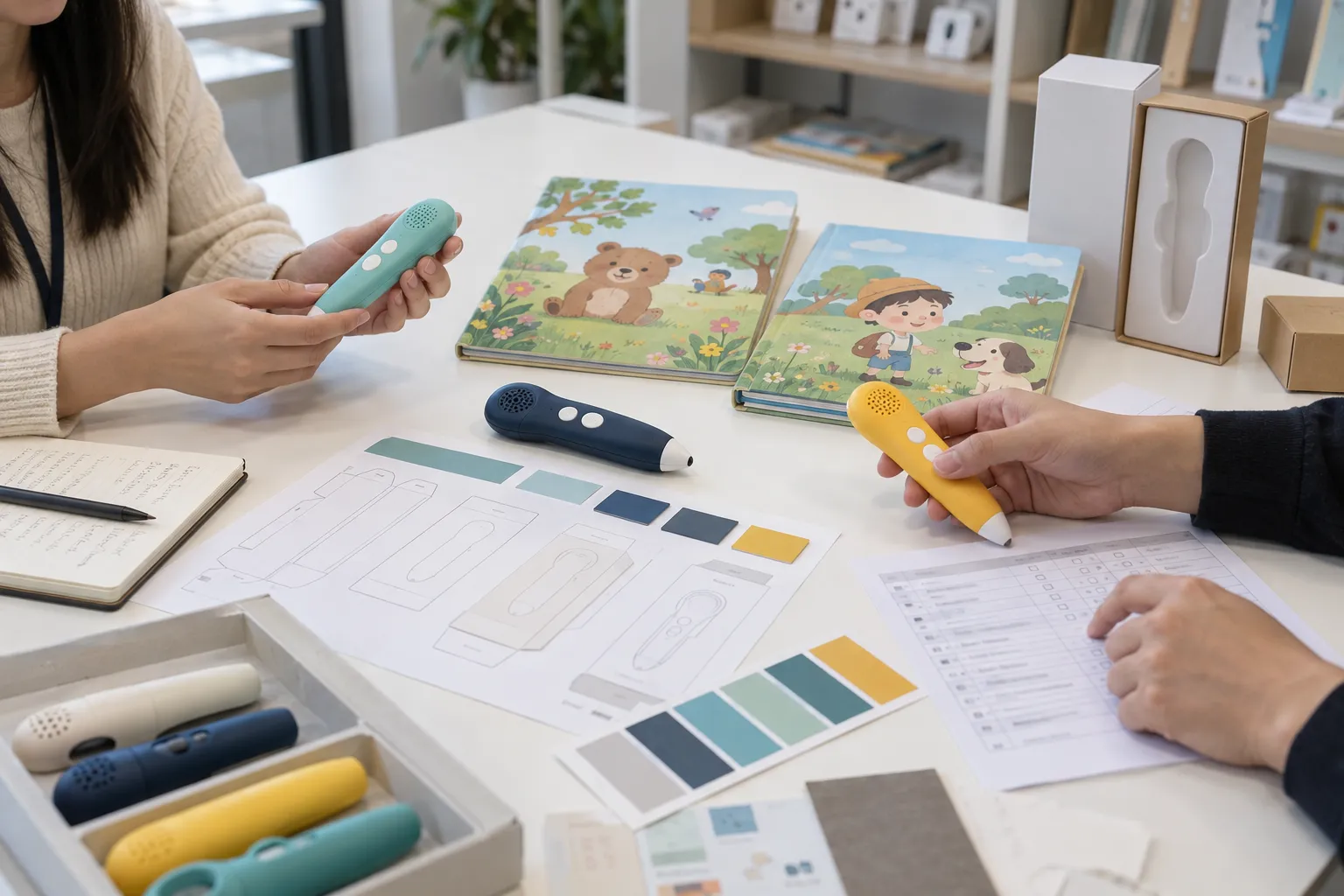
The project team should resolve the following trade-offs before claiming that the button-activated sound book is ready for the intended user. These decisions connect customer requirements to a measurable product and a sustainable operating model.
1. User task and service context
Recreate the complete user journey: press at center and common off-center points with the book on a table and lap, repeat across buttons, and observe missed or accidental activations Describe young children pressing illustrated sound areas, ordinary use, foreseeable mistakes, adult or channel support, storage, and the expected response to an error. Record the decision, owner, approval reference, and verification method for the final sound book configuration.
2. Architecture or format choice
Prototype the complete stack and choose an activation range that feels intentional while remaining accessible to the intended age group. Compare an existing platform with any custom feature, and distinguish a necessary difference from a decorative one. Record the decision, owner, approval reference, and verification method for the final sound book configuration.
3. Content and variant identity
Keep a button-location and force reference linked to finished book construction and usability observations aligned with language, artwork, audio, hardware, instructions, and supported edition. Link every relevant file or physical piece to a stable ID, language, edition, market, owner, and revision. Record the decision, owner, approval reference, and verification method for the final sound book configuration.
4. Approval evidence
Define a button-location and force reference linked to finished book construction and usability observations, the production-intent sample, review method, acceptance threshold, and who signs the decision. Record open assumptions instead of hiding them in a quotation. Record the decision, owner, approval reference, and verification method for the final sound book configuration.
5. Factory and shipment control
Specify Check press at center and common off-center points with the book on a table and lap, repeat across buttons, and observe missed or accidental activations against a production-intent sample and the approved configuration. Decide which checks happen on every unit, which are sampled, and what must be held when a critical mismatch appears. Record the decision, owner, approval reference, and verification method for the final sound book configuration.
6. Lifecycle and handover
Preserve a button-location and force reference linked to finished book construction and usability observations and review it after any change that could cause the button requires excessive force, triggers too easily, or moves away from the printed cue. Give customer support a usable version lookup, spare or update route, escalation rule, and evidence needed for a repeat order. Record the decision, owner, approval reference, and verification method for the final sound book configuration.
Fixture measurements need a user observation
A production force fixture can detect drift after the interaction target is approved. It should not invent the target without child usability evidence and product-specific safety review.
Buyer scenario and decision record
A publisher adds a thicker laminated overlay. The visible button looks unchanged but needs much more force. The team revises the stack or support before printing the full run.
Where the evidence stops
An adult thumb test or component datasheet cannot represent the finished child interaction. This is a design and procurement judgment, not evidence that a child outcome is guaranteed. Record the observation method, participant context, product revision, and limitations before turning a pilot into a marketing claim.
What an approvable result looks like
Children can find and activate each button consistently without unintended playback during normal page handling. press at center and common off-center points with the book on a table and lap, repeat across buttons, and observe missed or accidental activations The buyer should retain the sample and acceptance record so a later factory lot can be checked against the same reference rather than a memory of the demonstration.
Compare buttons across the entire panel
Edge buttons and center buttons may have different backing support. Measure several positions and bind the acceptance to the finished module assembly, not a single switch coupon.
Plan a sound-book button-force design program
Send your user case, current product files, target market, quantity by SKU, expected service model, and the decision that remains open. We can frame a sample and specification review.
4. What should the buyer prepare before requesting a quotation?
A useful quotation pack reduces assumptions without pretending every decision is final. It should distinguish confirmed requirements, preferred options, open questions, buyer-supplied files, supplier responsibilities, and items that will be approved through sampling. For sound book, prepare the following:
- User and channel brief: Describe young children pressing illustrated sound areas, use environment, age grade, adult role, product claims, retail or institutional channel, support capacity, and launch timing.
- Controlled project package: Include a button-location and force reference linked to finished book construction and usability observations, current bill of materials, artwork, content or software manifest, language and SKU matrix, production-intent sample reference, and rights or supplier responsibilities.
- Decision and acceptance sheet: List the options, the button requires excessive force, triggers too easily, or moves away from the printed cue risk, practical test method, sample size or selection basis, inspection disposition, owner, deadline, and next-order impact.
5. How should development move from concept to shipment?
Move sound-book button-force design through prototype, user observation, controlled revision, and a production-intent sample. Use visible gates so a concept demonstration is not mistaken for an approved production system.
- Confirm the requirement brief: Start from young children pressing illustrated sound areas, the actual activity, saleable set, target markets, quantity range, service model, and the outcome the buyer can realistically assess. Record the responsible party, open questions, and approval evidence.
- Create the controlled map: Build a button-location and force reference linked to finished book construction and usability observations as a controlled map from user action through product response, physical or digital media, version, packaging, and support record. Record the responsible party, open questions, and approval evidence.
- Review feasibility and risk: Review the button requires excessive force, triggers too easily, or moves away from the printed cue, component and file dependencies, foreseeable misuse, usability, production capability, market requirements, and inventory implications. Record the responsible party, open questions, and approval evidence.
- Build a purpose-defined prototype: Test a representative sound-book button-force design sample in the intended context with realistic content and service conditions; record what works, what fails, and the corrective action. Record the responsible party, open questions, and approval evidence.
6. What should factory testing and shipment inspection cover?
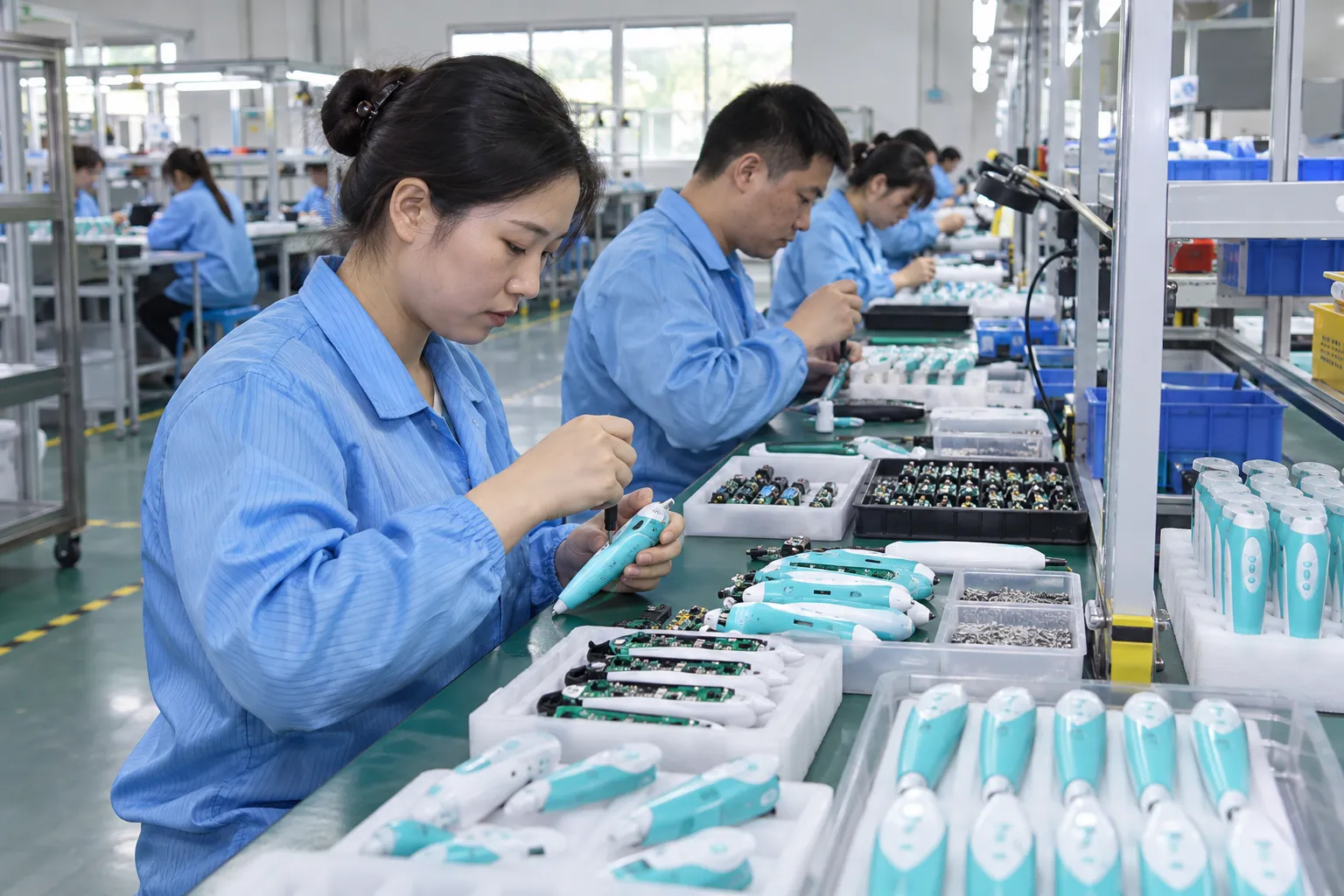
Test the complete button-activated sound book, including ordinary handling, adult help where expected, and a realistic failure or recovery path. The check should be reproducible by a second reviewer using the same sample identity and acceptance record; avoid relying on an informal demonstration.
| Control point | Practical check | Evidence |
|---|---|---|
| Representative user journey | Recreate the complete user journey: press at center and common off-center points with the book on a table and lap, repeat across buttons, and observe missed or accidental activations Run setup, intended action, wrong action, recovery, repetition, storage, and support or replacement steps on a production-intent sample. | Record result, defect category, and sample identity |
| Identity and content check | Compare a button-location and force reference linked to finished book construction and usability observations with labels, files, components, physical media, language, SKU, and revision on units from more than one production position. | Record result, defect category, and sample identity |
| Critical function and durability | Check press at center and common off-center points with the book on a table and lap, repeat across buttons, and observe missed or accidental activations against a production-intent sample and the approved configuration Document any failure and repeat the check after corrective action rather than just replacing the inspected sample. | Record result, defect category, and sample identity |
| Shipment and service readiness | Verify the packed set, instructions, barcode or lot identity, accessories, carton allocation, spare or update plan, and support contact route. | Record result, defect category, and sample identity |
Set test frequency from risk and process evidence. Use written defect classes, sampling rules, and reaction plans; the ISO 28590 overview is a starting reference for acceptance sampling by attributes.
Shipment inspection should use the approved product, controlled files, packing specification, label artwork, and purchase order as references. Inspectors should test content from different parts of the library rather than replaying one demonstration item. Allow time before the shipping deadline for containment, root-cause review, corrective action, and reinspection when needed.
See Cakub’s quality-control workflow for the broader sequence from incoming materials through shipment release, or review the factory capability page when evaluating production support.
7. Which external standards and evidence should buyers check?
Lifecycle decisions can touch product safety, intellectual-property permissions, trade-item identification, materials claims, and learning use. Which sources apply depends on the exact product, age grading, construction, claim, sales market, and contract. Check applicability before design or content release; a linked source is not evidence that a particular product has been certified or licensed.
- NAEYC technology and media guidance — use the current official text as a starting point for the final model and market.
- UNICEF disability-inclusive early childhood development kit — use the current official text as a starting point for the final model and market.
- U.S. CPSC toy safety guidance — use the current official text as a starting point for the final model and market.
Relevant official starting points for this topic include NAEYC technology and media guidance, UNICEF disability-inclusive early childhood development kit, U.S. CPSC toy safety guidance. These sources are not substitutes for a project-specific decision. Use qualified product-safety, legal, standards, or certification advisers as relevant; keep the review, applicable evidence, file approvals, and production identity connected to the exact model and revision.
8. How can buyers compare supplier quotations fairly?
Ask suppliers to price the sound-book button-force design configuration and show the trade-off against a simpler option. Ask suppliers to show configuration, one-time engineering, content work, samples, tooling, materials, inspection, pack-out, replenishment, service stock, Incoterm, and exclusions on the same basis.
Normalize configuration, content, electronics, materials, accessories, packaging, development, tooling, tests, documents, quantity, currency, Incoterm, payment, validity, and exclusions before comparing prices.
9. Common mistakes that create avoidable delay or rework
Approving a feature instead of a user journey
An adult thumb test or component datasheet cannot represent the finished child interaction. A function that works once may still be confusing, fragile, or expensive to support. The practical correction is to add an owner, reference file, approval point, and inspection method before the order enters mass production.
Losing the approved version
Without a button-location and force reference linked to finished book construction and usability observations, an attractive sample cannot reliably identify the right content, component, label, or future reprint. The practical correction is to add an owner, reference file, approval point, and inspection method before the order enters mass production.
Ignoring the failure path
When the button requires excessive force, triggers too easily, or moves away from the printed cue, no one knows whether to replace, repair, update, quarantine, or re-test the product. The practical correction is to add an owner, reference file, approval point, and inspection method before the order enters mass production.
Quoting only the first shipment
Preserve a button-location and force reference linked to finished book construction and usability observations and review it after any change that could cause the button requires excessive force, triggers too easily, or moves away from the printed cue. A low initial price may conceal replacement media, reprogramming, localization, after-sale labor, or another setup charge. The practical correction is to add an owner, reference file, approval point, and inspection method before the order enters mass production.
10. Frequently asked questions
When is sound-book button-force design worth a custom development project?
When the user action, content, service need, or channel model cannot be met reliably by an existing platform. Test the difference on representative content and calculate the operating burden before tooling.
What should be approved before mass production?
Approve a production-intent sample together with a button-location and force reference linked to finished book construction and usability observations, final content and labels, component choices, acceptance method, packaging, and responsibility for open items.
How should a buyer test for the button requires excessive force, triggers too easily, or moves away from the printed cue?
Choose a realistic failure scenario, define the expected user and support response, reproduce it on representative samples, and record the disposition and affected version or lot.
Can the same platform support several SKUs?
Often yes, if each SKU has controlled hardware, content, packaging, barcode, market, language, and version identity. Shared parts should not erase differences important to the user or retailer.
What should be checked before shipment?
Inspect representative function, content identity, construction, labels, accessories, retail pack, master carton, lot traceability, and closure of every critical deviation against the approved reference.
Conclusion: approve a repeatable product system
The best sound-book button-force design decision is one the buyer can explain, reproduce, inspect, and support after shipment. A strong sound-book button-force design decision is visible in the final product, factory records, pack-out, and customer-support procedure. That traceability makes the next order easier to quote, inspect, update, and defend when a problem appears.
Planning a custom sound book project?
Send your target user, product format, content scope, market, quantity range, packaging, and launch timing for a structured project review.