
Sound Book Buttons and Modules: Choosing the Right Architecture: Choose a sound-book module by matching button count and placement, user age, audio duration, memory, playback rules, speaker path, battery access, book construction, retail format, safety plan, and production method. A side-panel module is easy to see and assemble; page-integrated buttons can support contextual interaction but require tighter alignment and construction control.
The electronics architecture determines the book dieline before illustrations are final. Button pitch, panel width, page stack, speaker opening, battery access, fasteners, controls, and module thickness all compete for limited space. Publishers should approve the interaction layout in full size, not from a small screen image.
This guide is written for children’s publishers, museum shops, educational brands, gift companies, retailers, and print sourcing teams. It addresses the questions that normally appear between the first concept discussion and a production-ready quotation: product application, customer requirements, content ownership, sample purpose, factory testing, shipment inspection, packaging, and market-specific documentation. It does not present universal specifications because sound book should be engineered around the final user, configuration, claims, sales market, and distribution plan.
For an overview of the available configuration and customization direction, review Cakub’s sound books product page. Buyers who are still comparing formats can also start with the interactive learning product range.
1. What should buyers understand first?
A sound-book module typically contains switches or a membrane, printed circuit board, memory or controller, speaker, power, and enclosure. It may sit beside the page block, beneath a cover or page, or in another custom structure. Each physical button maps to an audio response through wiring and firmware.
Practical buyer answer: Start with the fewest clear buttons that support the editorial concept, then build artwork and binding around proven switch positions and tolerances.
The most reliable starting point is a one-page use-case description. State who uses the product, what physical action starts the interaction, what the product should do, what happens next, and how success is observed. This prevents a supplier from substituting a familiar standard product for a requirement that actually needs different electronics, files, construction, firmware, or packaging.
2. Where does this solution fit—and where does it not?
Architecture choice should make the interaction obvious while preserving print area, binding strength, comfortable handling, and manufacturable alignment.
| Decision question | Good fit when | Reconsider when |
|---|---|---|
| Are buttons shared across pages? | A side panel provides stable controls or content buttons visible with each spread. | Context changes every page and shared icons would be confusing. |
| Must prompts sit in the artwork? | Integrated positions create a direct relationship between image and response. | Tight binding and print tolerance make alignment unreliable. |
| Is battery service required? | A controlled access design fits the panel and instructions. | The architecture leaves no safe, understandable service route. |
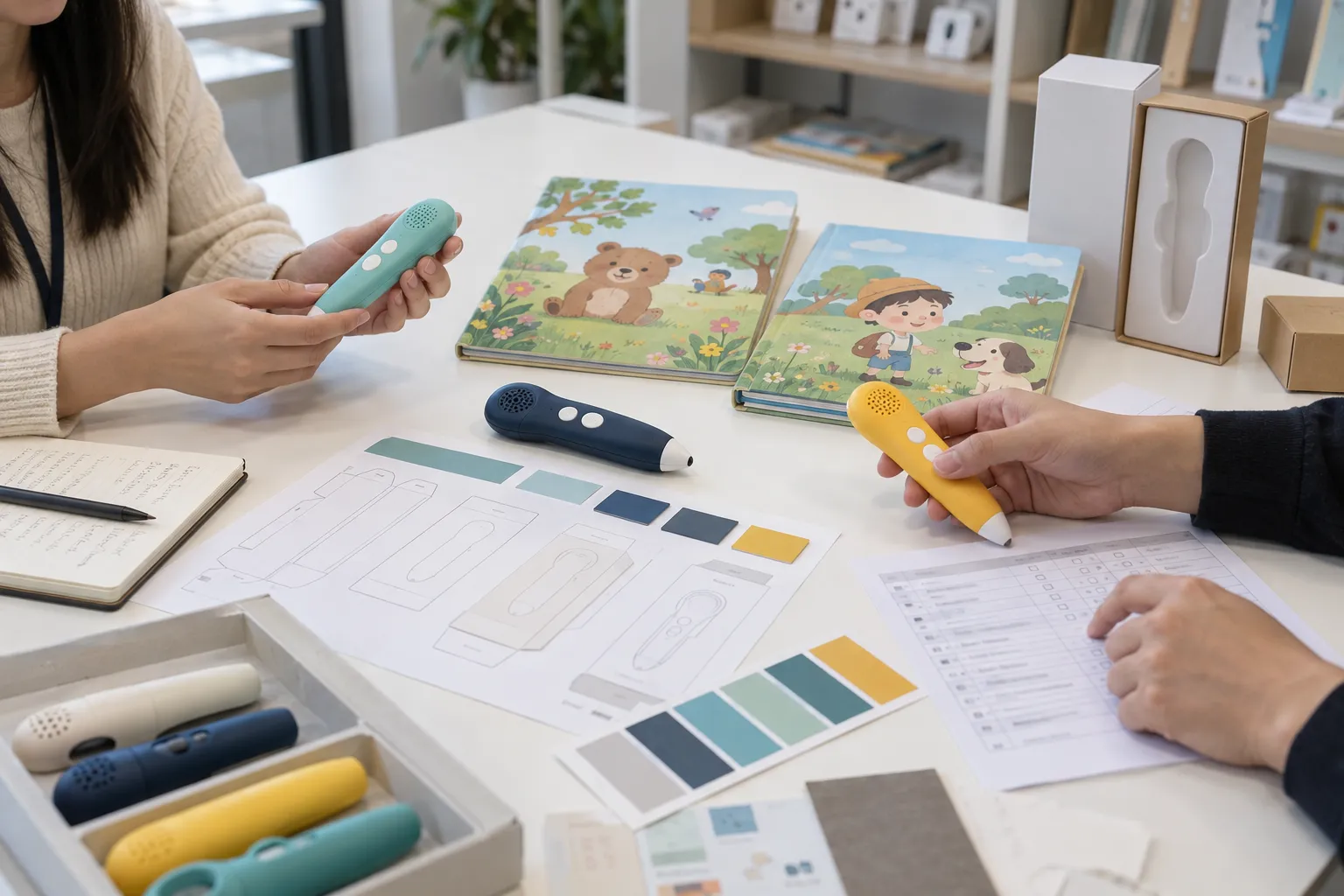
3. Which specification decisions change the project?
Module choice connects editorial design to mechanical and electrical realities.
1. Button count and pitch
Define active buttons, controls, minimum spacing, finger access, icons, labels, and false-trigger prevention. This decision should be closed before detailed quotation because it affects several downstream assumptions. For sound book, the useful question is not whether a feature is available in theory, but how it will be implemented, approved, repeated in production, and checked before shipment.
2. Switch construction
Compare discrete switches, membranes, conductive layers, pressure zones, force, travel, tactile response, and durability. A supplier can only validate this point when the intended user action and acceptable response are observable. For sound book, the useful question is not whether a feature is available in theory, but how it will be implemented, approved, repeated in production, and checked before shipment.
3. Module location
Review side panel, cover, page, spine relationship, page turning, balance, thickness, assembly, and retail display. Treat this as a controlled product requirement rather than an informal preference in an email thread. For sound book, the useful question is not whether a feature is available in theory, but how it will be implemented, approved, repeated in production, and checked before shipment.
4. Audio and memory
Calculate mastered content, codec, duration, languages, firmware, sound quality, and reserved capacity. The approved sample should demonstrate this requirement with representative content and production-style materials. For sound book, the useful question is not whether a feature is available in theory, but how it will be implemented, approved, repeated in production, and checked before shipment.
5. Speaker and power
Plan acoustic opening, enclosure, volume, batteries or charging, switch, indicators, fasteners, and access. Document the decision in the specification, sample comments, and final inspection checklist so each team uses the same reference. For sound book, the useful question is not whether a feature is available in theory, but how it will be implemented, approved, repeated in production, and checked before shipment.
6. Book integration
Coordinate dielines, board layers, cavities, adhesives, wiring, lamination, binding, tolerances, and packaging support. If the requirement is still open, ask the supplier to quote the alternatives separately instead of hiding the difference in one price. For sound book, the useful question is not whether a feature is available in theory, but how it will be implemented, approved, repeated in production, and checked before shipment.
| Decision area | What to define | Approval evidence |
|---|---|---|
| Button count and pitch | Define active buttons, controls, minimum spacing, finger access, icons, labels, and false-trigger prevention. | Specification, approved sample, or controlled record |
| Switch construction | Compare discrete switches, membranes, conductive layers, pressure zones, force, travel, tactile response, and durability. | Specification, approved sample, or controlled record |
| Module location | Review side panel, cover, page, spine relationship, page turning, balance, thickness, assembly, and retail display. | Specification, approved sample, or controlled record |
| Audio and memory | Calculate mastered content, codec, duration, languages, firmware, sound quality, and reserved capacity. | Specification, approved sample, or controlled record |
| Speaker and power | Plan acoustic opening, enclosure, volume, batteries or charging, switch, indicators, fasteners, and access. | Specification, approved sample, or controlled record |
| Book integration | Coordinate dielines, board layers, cavities, adhesives, wiring, lamination, binding, tolerances, and packaging support. | Specification, approved sample, or controlled record |
Choosing a sound-book module?
Send the trim size, page count, button concept, audio duration, target age, market, quantity, and packaging idea.
4. What should the buyer prepare before requesting a quotation?
A useful quotation pack reduces assumptions without pretending every decision is final. It should distinguish confirmed requirements, preferred options, open questions, buyer-supplied files, supplier responsibilities, and items that will be approved through sampling. For sound book, prepare the following:
- Full-size interaction layout: Show every button, control, speaker opening, battery access, page block, binding, and intended hand position.
- Audio and behavior list: Provide track count, duration, language, sequence, repeat, interruption, volume, startup, and shutdown.
- Construction assumptions: State board or paper, page count, thickness, binding, finishes, module attachment, and retail packaging.
- Book specification: Provide trim size, page count, binding, board or paper construction, button count, module position, and target age.
- Artwork and audio index: List page, printed prompt, button or switch position, filename, language, duration, and current revision.
- Market and commercial plan: State destination countries, quantity range, retail packaging, launch timing, battery choice, and inspection expectations.
Do not send a large folder without an index. Add a requirement sheet that lists every file, its revision, language, owner, intended use, and approval status. If the project contains many tracks, cards, pages, triggers, or modes, include a mapping table that connects the physical action to the expected response. This table becomes valuable during firmware review, factory testing, and shipment inspection.
5. How should development move from concept to shipment?
Validate button layout and module fit with full-size white samples before final illustration and print files are locked.
- Confirm the requirement brief: Define title concept, user age, button count, audio, controls, book format, power, market, quantity, and price target. Record open questions, the responsible party, and the required approval evidence before moving forward.
- Create the controlled map: Connect button position, printed icon, switch, filename, firmware behavior, page or panel, and revision. Use controlled filenames and revision dates so artwork, audio, firmware, components, and packaging cannot drift apart.
- Review feasibility and risk: Review force, pitch, false triggers, module thickness, page turning, binding, speaker path, battery, assembly, and packaging. Review the result against the intended user journey, not only against an isolated component demonstration.
- Build a purpose-defined prototype: Build a full-size structural and functional prototype with representative board, switches, audio, and binding. Keep one approved reference and convert every comment into a measurable acceptance point.
- Approve a production-intent sample: Combine final-style module, buttons, controls, speaker, battery, audio, dielines, page stack, binding, labels, and packaging and close measurable comments before material release. Confirm that buyer-supplied files and factory-prepared files use the same version before releasing materials.
- Release controlled production files: Freeze the bill of materials, module drawing, switch map, audio index, firmware ID, dielines, assembly instructions, packaging artwork, test method, and approval references. Do not compress the schedule by removing a validation gate; resolve the cause of delay and re-plan the critical path.
- Inspect and release the shipment: Sample across the order, reproduce representative user journeys, verify pack-out, and document disposition before dispatch. Before shipment, reproduce representative user actions and compare the packed product with the signed approval set.
The workflow should have visible gates. A concept sample proves feasibility; an engineering sample closes construction and function; a production-intent sample confirms controlled files, materials, firmware, audio, artwork, accessories, and packaging. Combining those purposes into one vague “sample” makes approval comments hard to interpret and makes schedule promises unreliable.

6. What should factory testing and shipment inspection cover?
Module testing should include realistic page support, binding, pressing angle, rapid use, and production alignment.
| Control point | Practical check | Evidence |
|---|---|---|
| Button force and discrimination | Press centers, edges, neighboring areas, several angles, and repeated cycles through finished layers. | Record result, defect category, and sample identity |
| Switch-to-audio map | Verify every button, control, language, sequence, repeat, interrupt, and shutdown response. | Record result, defect category, and sample identity |
| Structural integration | Inspect panel attachment, page turning, binding, cavities, adhesives, wiring, speaker opening, and access. | Record result, defect category, and sample identity |
| Power and acoustic behavior | Check battery or charging, indicators, low power, volume, clarity, rattles, distortion, and enclosure variation. | Record result, defect category, and sample identity |
| Button-to-audio mapping | Press every button across representative books and compare page prompt, switch position, filename, and language. | Record result, defect category, and sample identity |
| Print and binding | Check color, registration, lamination, die cutting, page order, board edges, binding, warpage, and approved tolerances. | Record result, defect category, and sample identity |
| Module performance | Verify button feel, speaker clarity, volume, battery access, power behavior, component retention, and shutdown. | Record result, defect category, and sample identity |
| Pack-out and carton | Confirm instructions, labels, accessories, protective fit, barcode, retail presentation, and carton count. | Record result, defect category, and sample identity |
Testing frequency should be based on risk, process capability, component history, and the consequence of a failure. Some functions may justify a 100% production check, while appearance or packaging characteristics may be evaluated through a defined sampling plan. The ISO 28590 overview explains the role of acceptance sampling by attributes, but the buyer and inspection provider still need a written defect list, sampling basis, and accept/reject rules for the actual order.
Shipment inspection should use the approved product, controlled files, packing specification, label artwork, and purchase order as references. Inspectors should test content from different parts of the library rather than replaying one demonstration item. Allow time before the shipping deadline for containment, root-cause review, corrective action, and reinspection when needed.
See Cakub’s quality-control workflow for the broader sequence from incoming materials through shipment release, or review the factory capability page when evaluating production support.
7. How should safety and compliance planning be handled?
Compliance depends on intended use, age grading, materials, electronics, power source, wireless functions, sound output, accessories, packaging, claims, and destination market. Start planning before the final design because required tests, warnings, traceability marks, battery construction, or technical documentation can affect the product itself.
- U.S. CPSC toy safety guidance — use the current official text as a starting point for the final model and market.
- European Commission toy-safety information — use the current official text as a starting point for the final model and market.
- IEC 62115 electric-toy standard overview — use the current official text as a starting point for the final model and market.
Relevant official starting points for this topic include U.S. CPSC toy safety guidance, European Commission toy-safety information, IEC 62115 electric-toy standard overview. These links do not determine the complete test plan. Ask an accredited laboratory or qualified compliance adviser to review the final configuration and the markets where the product will be placed. Keep reports, declarations, bills of materials, label approvals, and production identities connected to the exact model and revision.
8. How can buyers compare supplier quotations fairly?
Module quotations should state button count and type, memory, audio programming, firmware, speaker, batteries or charging, enclosure, tooling, assembly, book integration, tests, and certification support.
Normalize quotations into the same structure: product configuration, included content volume, electronic functions, materials, accessories, retail packaging, master-carton basis, development charges, sample rounds, tooling, testing, documentation, quantity, currency, Incoterm, payment assumptions, and validity period. Highlight every exclusion. Two unit prices are not comparable when one includes programmed content, printed media, accessories, or inspection support and the other does not.
9. Common mistakes that create avoidable delay or rework
Finalizing artwork before the module
Button pitch, panel width, cavities, safe areas, and binding can force costly layout changes. The practical correction is to add an owner, reference file, approval point, and inspection method before the order enters mass production.
Adding too many small buttons
Crowded controls increase false triggers, artwork complexity, and difficulty for young users. The practical correction is to add an owner, reference file, approval point, and inspection method before the order enters mass production.
Testing switches without book layers
Board, paper, lamination, adhesives, cavities, and pressing angle change force and response. The practical correction is to add an owner, reference file, approval point, and inspection method before the order enters mass production.
Ignoring speaker path
A strong loose module can sound quiet or distorted after enclosure and packaging integration. The practical correction is to add an owner, reference file, approval point, and inspection method before the order enters mass production.
10. Frequently asked questions
How many buttons can a sound book have?
The practical number depends on trim size, user age, button pitch, module architecture, memory, audio concept, manufacturing tolerance, and cost.
Are page buttons better than a side panel?
They create contextual interaction but require tighter alignment and construction. Side panels offer stable positions and simpler assembly. Choose by editorial and production needs.
Can a module support volume control?
Yes, if controls, firmware, button space, user clarity, and safety planning include it. Define startup volume, steps, limits, and memory behavior.
Can the battery be replaced?
Some designs support controlled caregiver access; others use different power arrangements. The final age, market, construction, instructions, and applicable requirements determine the plan.
When should the module be selected?
Before final dielines and artwork. Use full-size structural and functional samples to validate space, page turning, button feel, and sound.
Conclusion: approve a repeatable product system
The right module architecture makes the editorial interaction clear and the book manufacturable. Freeze button behavior, panel geometry, audio, power, speaker path, and binding integration before releasing final artwork.
A successful sound book project is not defined by a single attractive sample. It is defined by whether the approved user experience can be reproduced with controlled files, stable materials, clear workmanship criteria, suitable factory testing, traceable packaging, and a shipment-inspection method that reflects customer requirements. That is the standard buyers should use when comparing suppliers and deciding whether a project is ready for production.
Planning a custom sound book project?
Send your target user, product format, content scope, market, quantity range, packaging, and launch timing for a structured project review.